
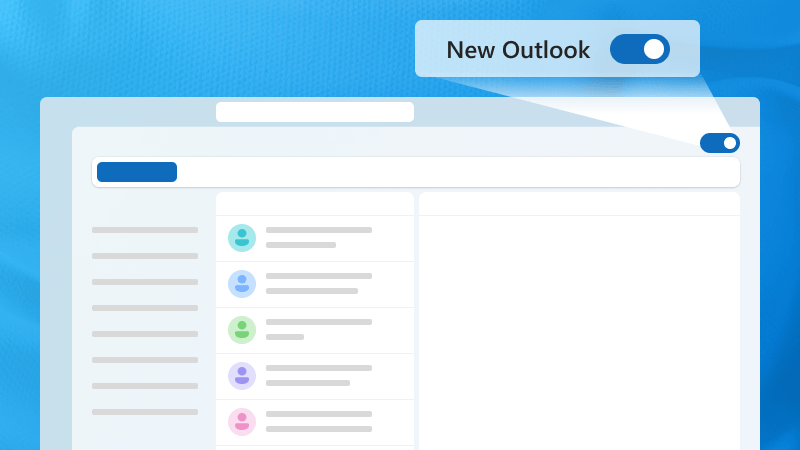
Microsoft’s latest iteration of Outlook for Windows introduces a modernized, streamlined experience that includes integration with AI-driven Copilot, an updated user interface, and improved functionality. But how does it compare with the traditional version? Here’s a breakdown of what’s different, who could benefit most, and whether it’s worth the switch.
Key Differences: Classic vs. New Outlook
- User Interface and Design
- The New Outlook offers a simplified, cleaner interface that enhances user experience with less clutter and a more intuitive layout. Classic Outlook users may find it familiar yet outdated in comparison.
- Feature Enhancements
- Microsoft has added several innovative features to the New Outlook, such as:
- Copilot Integration: This AI assistant aids in drafting emails, summarizing threads, and scheduling meetings, available exclusively for Microsoft 365 subscribers.
- Improved Task Management: Seamless integration with Microsoft To Do and task features, making tracking and managing tasks easier.
- Enhanced Calendar View: The calendar offers more customization, color-coding, and event summaries for better scheduling.
- Microsoft has added several innovative features to the New Outlook, such as:
- Platform-Specific Capabilities
- While the Classic Outlook offers extensive offline support, the New Outlook is primarily optimized for online use, which could be a drawback for those needing regular offline access.
- New Outlook supports a more limited range of third-party add-ins compared to the classic version, which may impact users who rely on specific integrations.
Who Should Use the New Outlook?
The New Outlook is designed with collaborative, modern workspaces in mind. Users who benefit most from it include:
- Microsoft 365 Users: If you’re on a business or educational Microsoft 365 plan, you can fully utilize the AI-driven Copilot and other advanced features.
- Task-Oriented Professionals: With the built-in task and scheduling features, the New Outlook is ideal for those managing multiple projects or tight schedules.
- Anyone Wanting a Cleaner Experience: The simplified design reduces cognitive load, making it suitable for users who prefer a less cluttered workspace.
However, if your work heavily relies on offline access or custom add-ins, you might prefer sticking with the Classic Outlook for now.
Is the New Outlook Worth It?
The New Outlook offers a refreshing update for users wanting a more connected, AI-boosted experience. While it may lack some of the offline features and add-in support found in the Classic version, its advanced scheduling, AI capabilities, and streamlined interface make it a valuable upgrade for many. Ultimately, it’s worth considering if your workflow aligns with its online-centric, productivity-enhancing tools.
Microsoft’s commitment to regular updates suggests that the New Outlook will continue to evolve, potentially making it a complete replacement for Classic Outlook in the near future.